The FreeBSD Diary |
|
(TM) | Providing practical examples since 1998If you buy from Amazon USA, please support us by using this link. |
|
Epson PhotoPC 650 --- by Chris Silva
23 April 2000
|
| Chris Silva wrote this article about installing and configuring a digital camera. |
|
Getting the Epson PhotoPC 650 running under FreeBSD 3.4-STABLE
|
| Your options at this point are: Get the Linux port of gphoto or use the ported version. If should you *want* the Linux port, you need to look at the stuff below. Else, use the ported version that is native to FreeBSD |
|
Linux version
|
First let's assume you have Linux capabilites set for your system.
If not, read this bit from the FreeBSD Handbook section http://www.freebsd.org/doc/en_US.ISO8859-1/books/handbook/linuxemu-lbc-install.html.
You can download the Linux port from http://www.gphoto.org/. Compile your Linux port the usaual way. [ed note: looks to me like the FreeBSD native version is the Way To Go (tm)] |
|
FreeBSD native version
|
The first thing you need to do is determine what serial port you are going
to use. Next you need to compile the Gphoto app in /usr/ports/graphics/gphoto.
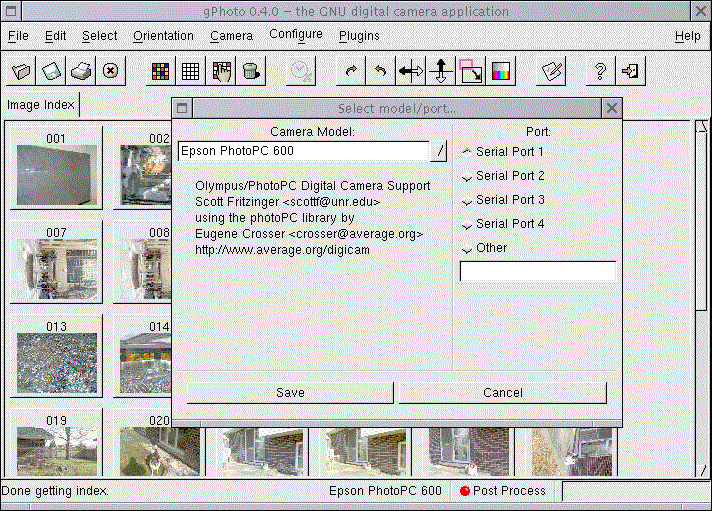
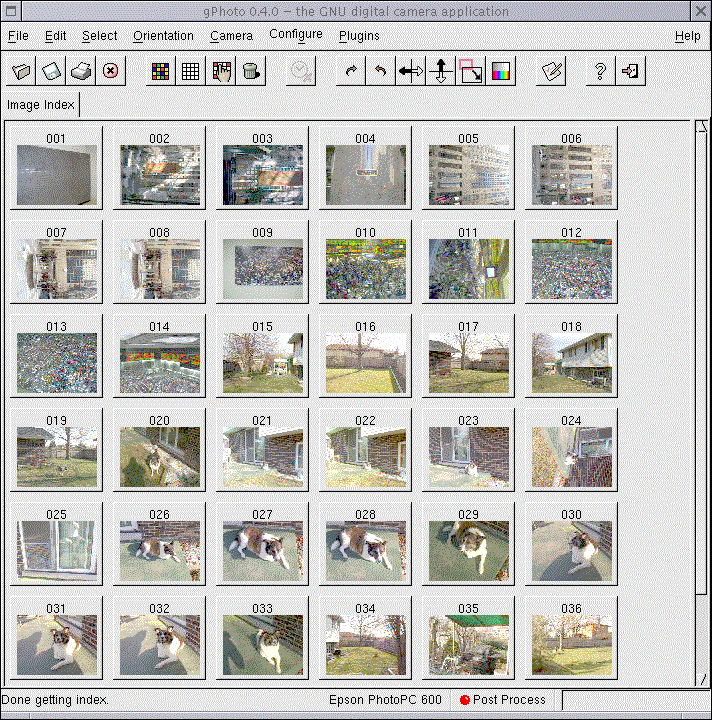
You know the routine:/usr/ports/graphics/gphoto make && make install You might note, I did not do the make clean, because this is very much foreign to me, I wanted to check out the typical docs - INSTALL, FAQ, etc. After all, the make clean can be done any time. Once the program is installed, It's really important you read the FAQ. If not, you will waste time trying to get this puppy to run... It's rather to the point, so, in a nut-shell, you open an xterm, su' yourself, then: gphoto & You need to run it as a su'd user because you need to access the serial port... NOTE: the FAQ tells you how to bypass this - I didn't bother... The box I use this on is not on a wire, it's in my home... Anyways, once you do that, you can modify the config as I did below... After that, you call up the directory of the mem-waffer by going to: Camera -> Get Index -> Thumbnails This should give you an idea of what to expect: From there, you can create thumbnails, copy, etc. your digi-pics. NOTES: This is using the serial cable with this cam. I have since gotten USB support to work however, I'm still researching how to access the USB reader (JumpShot) under FreeBSD - Under Windows2000, the USB support is wonderful. This basically creates a removable drive, so the transfer rate is awesome... That's it for now... |